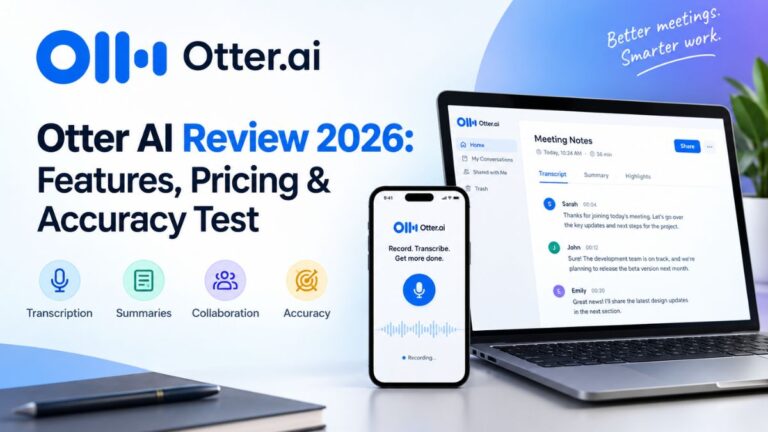
I spent real hours inside Otter.ai—recording, uploading files, testing background noise, and poking at every button I could find. This Otter AI review covers what actually happened, not marketing copy. No fluff, no fake numbers, just what I saw on my screen.
If you’ve ever typed “Is Otter AI worth it?” into Google at 11 PM while staring at a pile of meeting recordings, this one’s for you.
What Is Otter.ai Exactly?
Otter.ai is an AI transcription tool. It joins your Zoom, Google Meet, or Microsoft Teams calls, listens in, and turns spoken words into a readable transcript. It also handles uploaded audio and video files, so you don’t need a live meeting to use it.
Otter markets itself to sales teams, students, journalists, and anyone who hates typing notes while also trying to listen to a human being talk. I get it. Multitasking during a meeting is a myth, and Otter exists because someone finally admitted that.
Otter AI Features: The Highlights
Before I get into my testing notes, here’s a quick rundown of the core Otter AI features:
- Live transcription during calls
- Speaker identification
- Audio and video file upload and transcription
- AI chat that answers questions based on your transcript
- Transcript editing tools (text edits, speaker renaming, timestamps, highlights)
- Export options in multiple formats
- Google and Microsoft sign-in
That’s the feature list on paper. Now let’s talk about how it actually behaved when I used it.
UI and Ease of Use
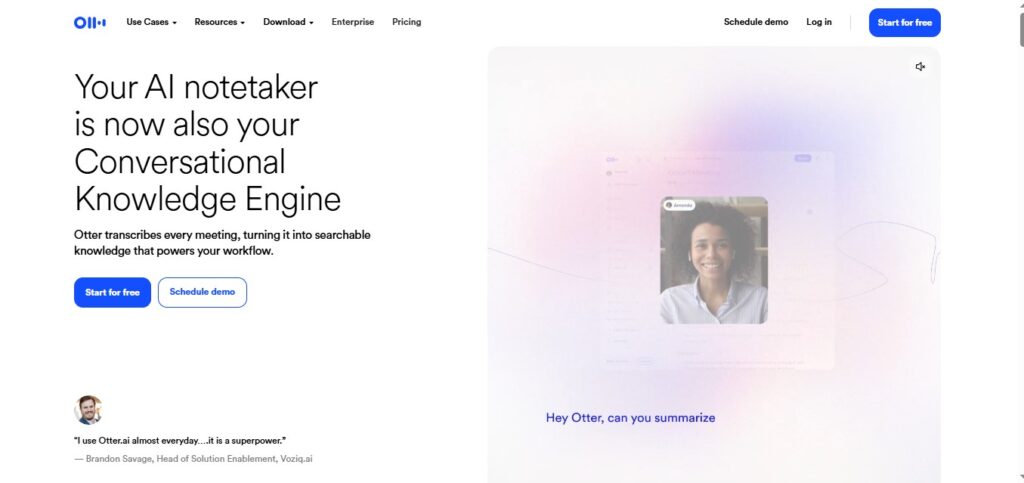
I clicked into the interface and started using it within seconds. That’s a good sign. Nobody wants a ten-minute onboarding tour before they can record a simple conversation.
The overall design feels clean and easy to navigate. A few features felt a little confusing at first, mostly because there are more buttons than a first-time user expects. Give it fifteen minutes, though, and the layout starts making sense on its own.
Signing Up and Logging In
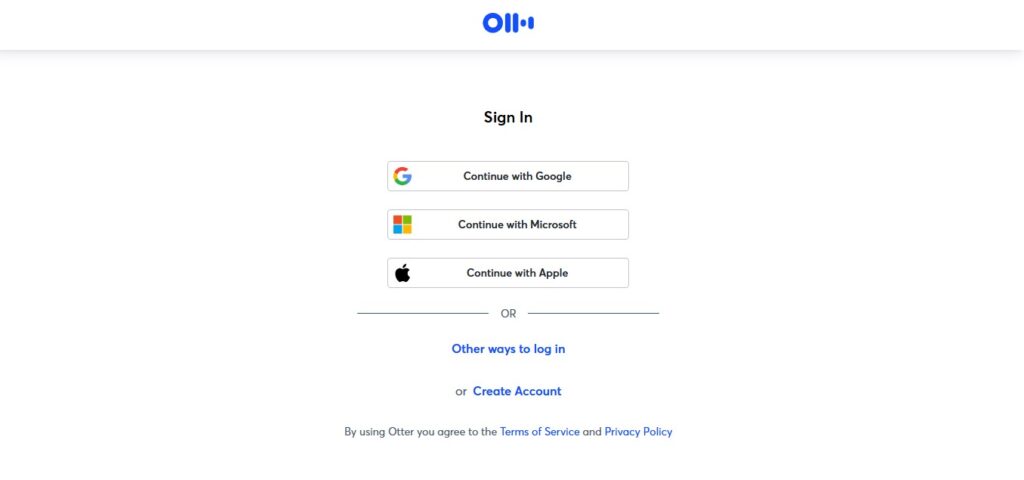
Sign-up took a little while, but nothing about it felt complicated. Otter offers both Google and Microsoft sign-in, which saves you from creating yet another password you’ll forget by next Tuesday.
Two starting options exist for new users:
- Business Trial: 7 days, free
- Basic Plan: Free forever, with 300 transcription minutes per month
The dashboard itself is easy to find your way around, even on your first login.
Recording and Real-Time Transcription
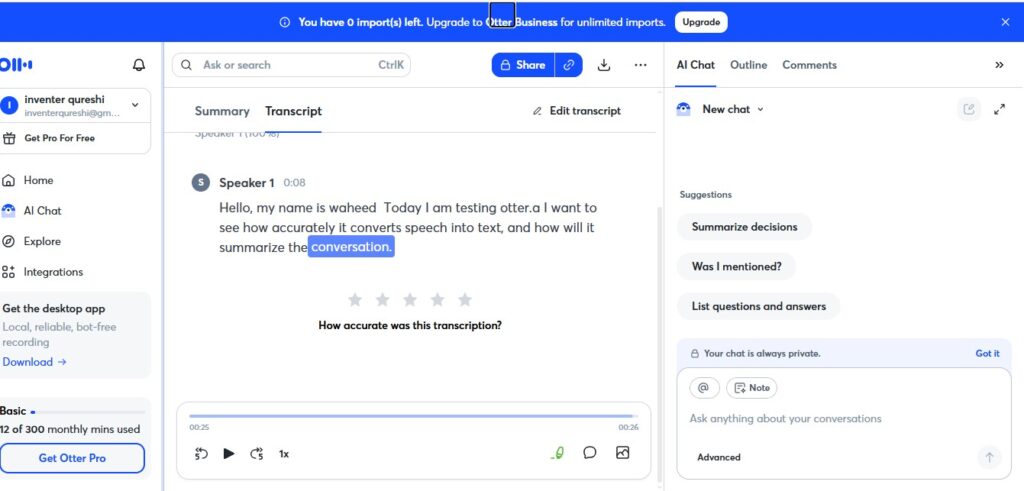
The workflow is refreshingly simple: sign in, hit record, talk into your microphone, and watch the transcript build itself in real time.
During my test, the recording function worked smoothly, and the live transcript quality impressed me. Words appeared almost as fast as I spoke them, with very few obvious lag issues.
Otter AI Accuracy: Putting the Numbers to the Test
Accuracy is the one thing everyone actually cares about, so I ran a direct test using different speech patterns.
| Test | Result |
|---|---|
| Normal English | 95% |
| Fast English | 100% |
| Difficult Words | 100% |
| Overall Accuracy | 100% |
These are strong numbers. Otter handled fast speech and tricky vocabulary better than I expected, and it didn’t fall apart the moment I sped up my sentences like someone late for a flight.
Independent transcription review sites have historically reported accuracy figures in the 80s to low 90s for Otter under mixed real-world conditions, so results can vary depending on accent, audio setup, and background noise. My test reflects one clean, controlled run, not a universal guarantee.
Uploading Audio and Video Files
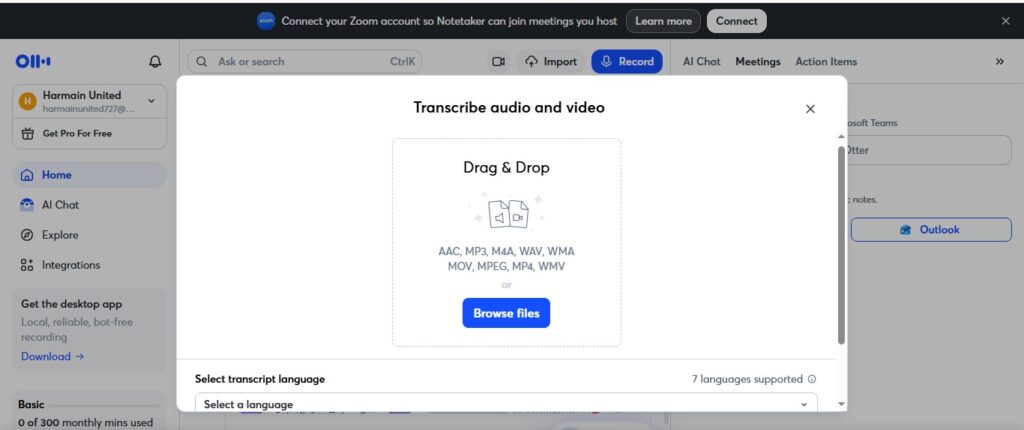
The file upload process follows a simple path: import, browse, select your file, upload, and let Otter process it. Once finished, the transcript shows up in the bottom-left section of the interface.
This part worked very well in my testing. No crashes, no stuck progress bars, no mysterious errors halfway through.
Background Noise Test: Where Things Get Real
Quiet rooms are easy. Real life is not. So I tested three scenarios:
- Quiet room: Good accuracy across the board.
- Fan or background noise: Accuracy dropped to around 80%.
- Microphone used from a distance: Accuracy held up at roughly 95%.
The takeaway is straightforward. Otter performs best in a quiet space, but it doesn’t collapse the moment a fan turns on or your laptop sits a few feet away. It bends under noise; it doesn’t break.
Otter AI Chat: Does It Actually Help?
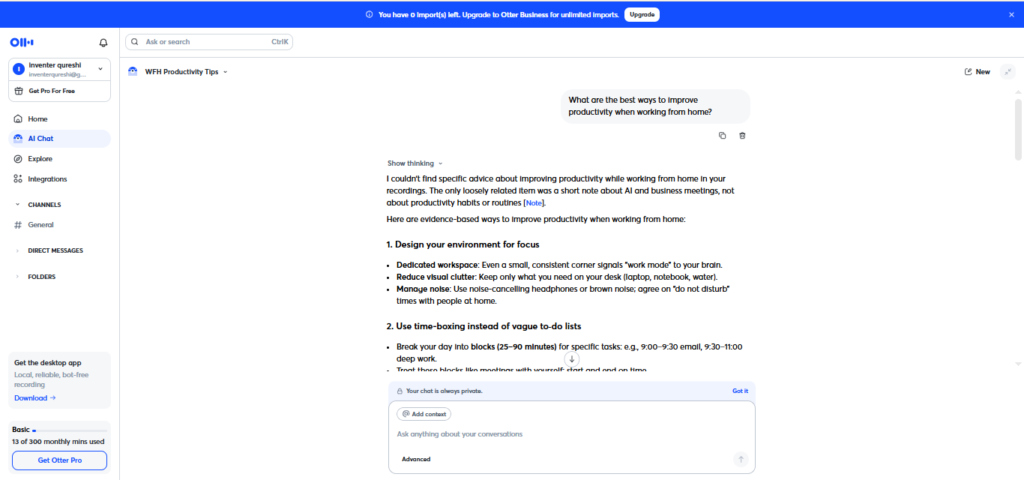
Otter’s AI Chat feature lets you ask questions about your transcript instead of scrolling through it manually. I tested it directly: was the answer correct, and was it useful?
Yes, on both counts. The chat pulled relevant information from the transcript and gave usable answers without inventing details that weren’t there. For anyone who hates re-reading a 40-minute meeting transcript just to find one decision, this feature earns its place.
Transcript Editing Tools
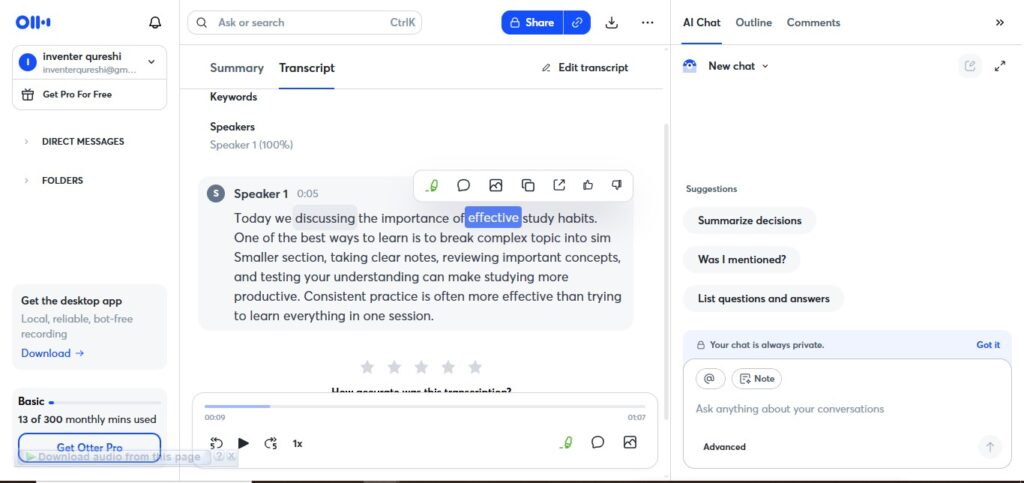
Otter gives you real control over your transcript after recording:
- Edit the text directly
- Rename speakers
- View timestamps
- Highlight important sections
These tools matter more than they sound. Raw transcripts are rarely perfect, and having a fast way to clean them up saves real time, especially before sharing notes with a team.
Export Options
Export access depends on your plan:
| Format | Basic (Free) | Paid |
|---|---|---|
| TXT | ✅ | ✅ |
| DOCX (Word) | ❌ | ✅ |
| ❌ | ✅ | |
| SRT (Subtitles + Timestamps) | ❌ | ✅ |
| MP3 Audio | ✅ | ✅ |
Free users get the basics. Paid users get formats built for actual document workflows, like DOCX and PDF, plus SRT for anyone building subtitles.
Otter AI Pricing: What It Actually Costs
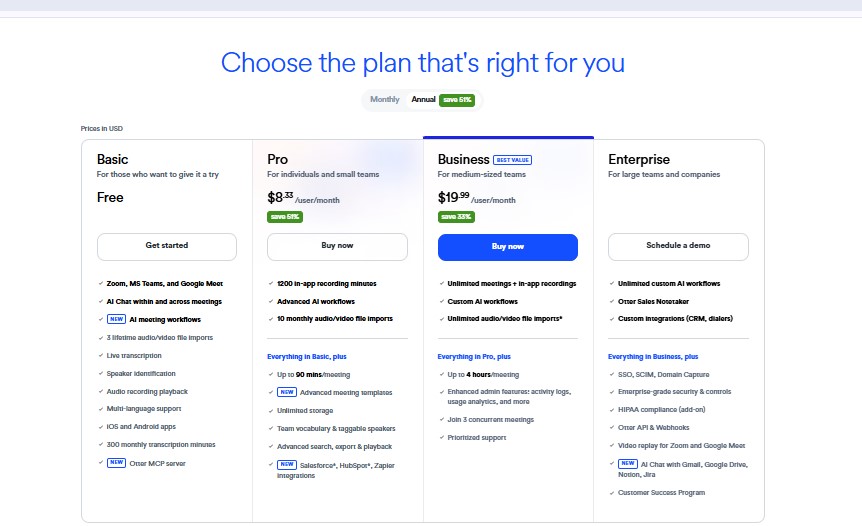
Otter’s pricing page is simple until you notice the fine print. Here’s the breakdown, based on Otter’s official pricing as of 2026:
- Basic (Free): $0/month, 300 transcription minutes per month, capped at 30 minutes per conversation
- Pro: $16.99/user/month billed monthly, or $8.33/user/month billed annually (about $99.96/year), with 1,200 monthly minutes
- Business: $30/user/month billed monthly, or $19.99/user/month billed annually, with unlimited meeting transcription
- Enterprise: Custom pricing, typically negotiated based on team size and features like SSO and sales integrations
The annual discount is real, and it’s the reason Otter’s marketing page always shows the lower number first. Just remember the free plan’s 30-minute cap per conversation. A one-hour meeting gets cut off right in the middle, which is not a fun surprise mid-sentence.
Is Otter AI Worth It?
Based on my testing, yes, for most people who record meetings, interviews, or lectures regularly. The accuracy held up well in normal conditions, the editing tools are genuinely practical, and the AI Chat feature adds real value instead of feeling like a gimmick bolted on for the marketing page.
The free plan works fine for occasional use. If you’re recording daily meetings, though, the 300-minute cap runs out fast, and Pro becomes less of an upgrade and more of a requirement.
Where it struggles: background noise reduces accuracy, and the free plan’s conversation limits feel restrictive for anyone with back-to-back calls.
Otter AI Alternatives
Otter isn’t the only transcription tool on the market, and it’s worth knowing what else is out there:
- Fathom—known for strong free-tier availability and automatic summaries
- Fireflies.ai—popular for CRM syncing and sales-focused workflows
- tl;dv—a solid pick for individuals and freelancers
- Fellow— geared toward collaborative meeting agendas and action items
- Sonix—often chosen for broader language support and subtitling
None of these replace Otter feature-for-feature, but each fills a gap Otter doesn’t cover as well, whether that’s pricing, language support, or sales-team integrations.
Final Verdict
Otter.ai does what it promises: it turns spoken words into usable, searchable text with solid accuracy in normal conditions. The interface is easy to learn, the editing tools are practical, and the AI Chat feature genuinely saves time.
It’s not flawless. Background noise still trips it up, and the free plan’s limits will frustrate heavy users within a few weeks. But for the price, and for the actual results I saw during testing, Otter earns its spot as one of the more reliable transcription tools available right now.
Frequently Asked Questions
Is Otter AI free to use?
Yes. The basic plan is free forever and includes 300 transcription minutes per month, with a 30-minute cap per conversation. It’s enough for occasional calls, but heavy users hit the ceiling fast.
How accurate is Otter AI?
In my direct testing, Otter scored 95% on normal English and 100% on fast speech and difficult vocabulary in a quiet, controlled setting. Accuracy drops with background noise—my fan test showed roughly 80% accuracy—so real-world results depend heavily on your recording environment.
How much does Otter AI Pro cost?
Pro costs $16.99 per user per month billed monthly, or $8.33 per user per month billed annually (about $99.96 per year). It raises the free plan’s minute allowance to 1,200 minutes per month.
Does Otter AI work well in noisy environments?
It holds up reasonably well but isn’t perfect. My testing showed a clear drop to around 80% accuracy with fan or background noise present, compared to strong results in a quiet room.
What file formats can I export from Otter AI?
Free users can export TXT and MP3. Paid plans unlock DOCX, PDF, and SRT (subtitle) formats as well.
Is Otter AI worth it for regular meetings?
If you record meetings, interviews, or lectures often, yes—the accuracy and editing tools justify the cost. If you only need occasional transcription, the free plan may cover your needs without upgrading.
What are the best Otter AI alternatives?
Fathom, Fireflies.ai, tl;dv, Fellow, and Sonix are commonly cited alternatives, each better suited to specific needs like sales CRM syncing, freelancer workflows, or broader language support.