
What Are Meta Tags, and Why Do They Matter?
Meta tags are small pieces of HTML code that sit in the background of your webpage. Visitors never see them directly, but search engines read them constantly. The two that matter most are the title tag, which shows up as the clickable headline in search results, and the meta description, the short summary underneath it.
Neither one guarantees a higher ranking on its own, but together they decide something just as important: whether someone actually clicks your result instead of the one above or below it. A page that ranks well but gets ignored in the search results isn't doing its job — that's usually a meta tag problem, not a ranking problem.
There's also a third layer worth knowing: Open Graph tags. These control how your page looks when it's shared on Facebook, LinkedIn, or other social platforms — the image, title, and description that show up in that preview card all come from here.
Common Meta Tag Mistakes to Avoid
Most meta tag problems aren't complicated — they just go unnoticed until someone checks.
Titles that get cut off
Anything past roughly 60 characters gets truncated in the search results, sometimes mid-word. Keep your title tight and front-load the important part.
The same title on every page
Duplicate titles confuse search engines about which page to show for a given query, and they make it harder for any single page to stand out.
A missing or generic description
When there's no meta description, search engines pull a random sentence from your page instead — and it rarely reads well or encourages a click.
No Open Graph image
Share a link without one and most platforms either show nothing or grab an unrelated image from the page — not a great first impression.
How It Works
Three simple steps — no signup, no waiting around.
Enter URL
Paste your website URL — AI reads your actual page content.
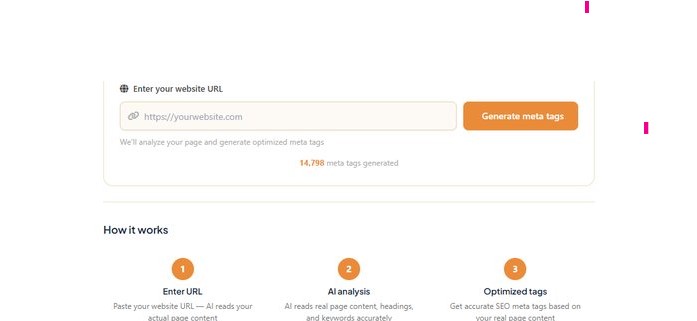
AI Analysis
AI reads real page content, headings, and keywords accurately.

Optimized Tags
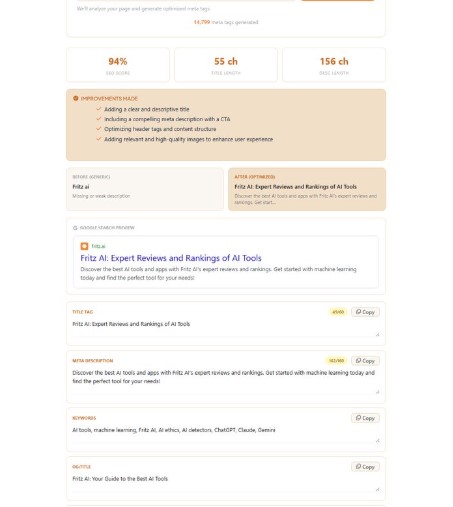
Get accurate SEO meta tags based on your real page content.
How to Add These Tags to Your Website
Once you've generated your tags above, the last step is placing them on your actual page. Where that happens depends on what your site runs on.
WordPress
If you're using an SEO plugin like Yoast or Rank Math, open the page or post in the editor and scroll to the SEO section near the bottom. There are separate fields for the title and meta description — paste your generated tags there directly, and the plugin handles the rest.
Shopify
Go to the page or product you're editing, and look for "Edit website SEO" near the bottom of the page. Shopify gives you a title and description field there — this is what shows up in Google, separate from your product title.
Plain HTML
Paste the generated code directly inside the <head> section
of your page, above the closing </head> tag. That's it —
no plugin needed.
A Few Things Worth Remembering
Meta tags aren't a one-time task. As your page content changes, or as you notice your click-through rate dropping in Google Search Console, it's worth revisiting the title and description to see if they still describe the page accurately. If you're new to on-page SEO in general, our About Us page covers how we approach testing tools like this one.
Frequently Asked Questions
What is a meta tag generator and why do I need one?
A meta tag generator creates the title, description, and social sharing tags for a webpage automatically, based on its actual content. You need one because writing these by hand for every page is easy to forget or get wrong — and a weak title or missing description can quietly hurt your click-through rate even if the page ranks well.
How does the AI generate accurate meta tags?
It reads the real content on your page — headings, body text, and existing keywords — rather than guessing from just the URL or page name. That's what makes the output relevant to what's actually on the page instead of a generic template.
Do meta tags really help with SEO rankings?
Not directly — Google has said the meta description isn't a ranking factor, and the title tag is only one of many signals. What they do influence is your click-through rate: a clear, compelling title and description make people more likely to click your result over a competitor's, which is often just as valuable as an extra ranking position.
Is this AI meta tag generator completely free?
Yes. There's no signup and no cost — paste a URL and get your optimized title, description, and Open Graph tags instantly.